FLUX Erase
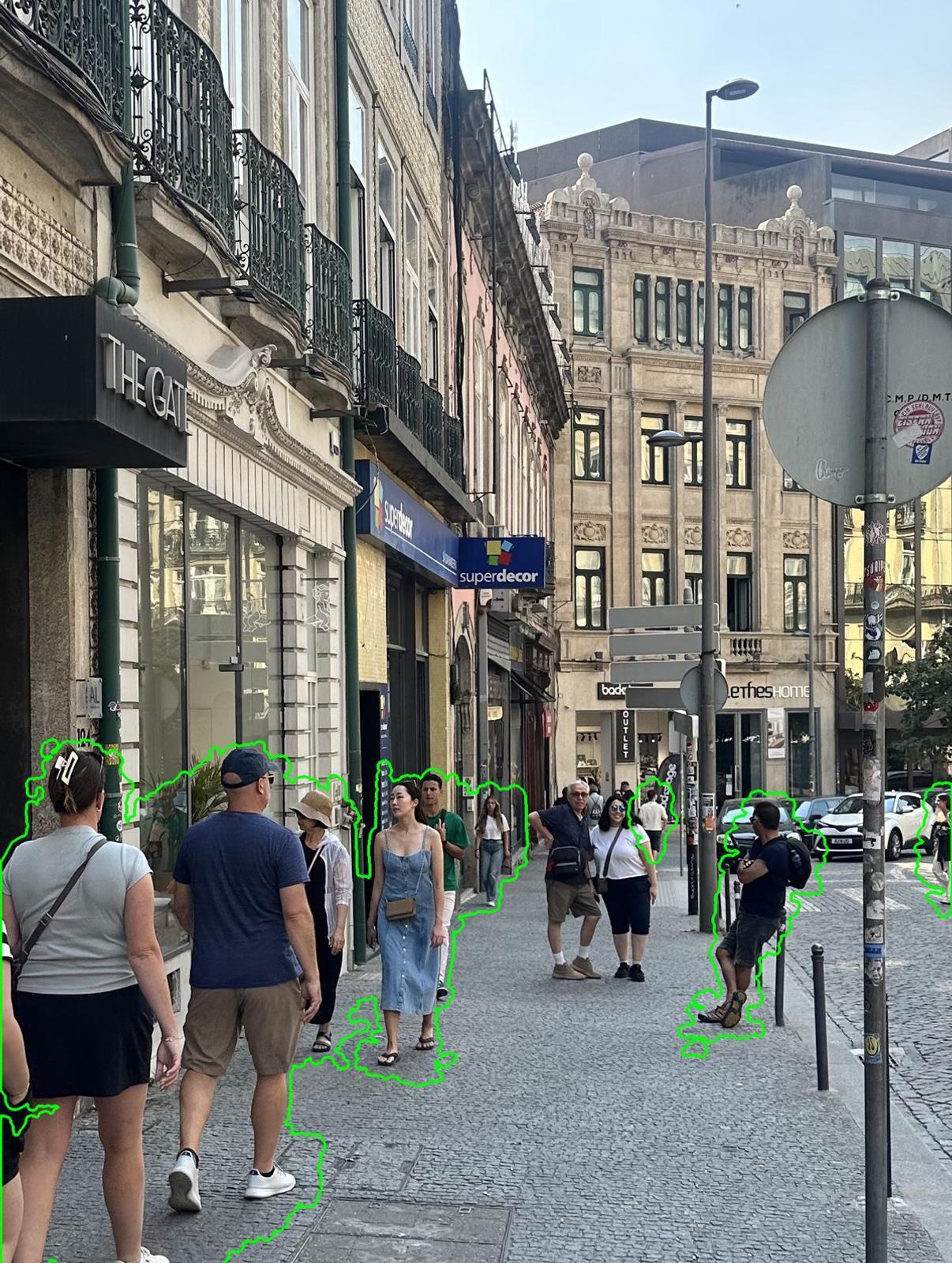
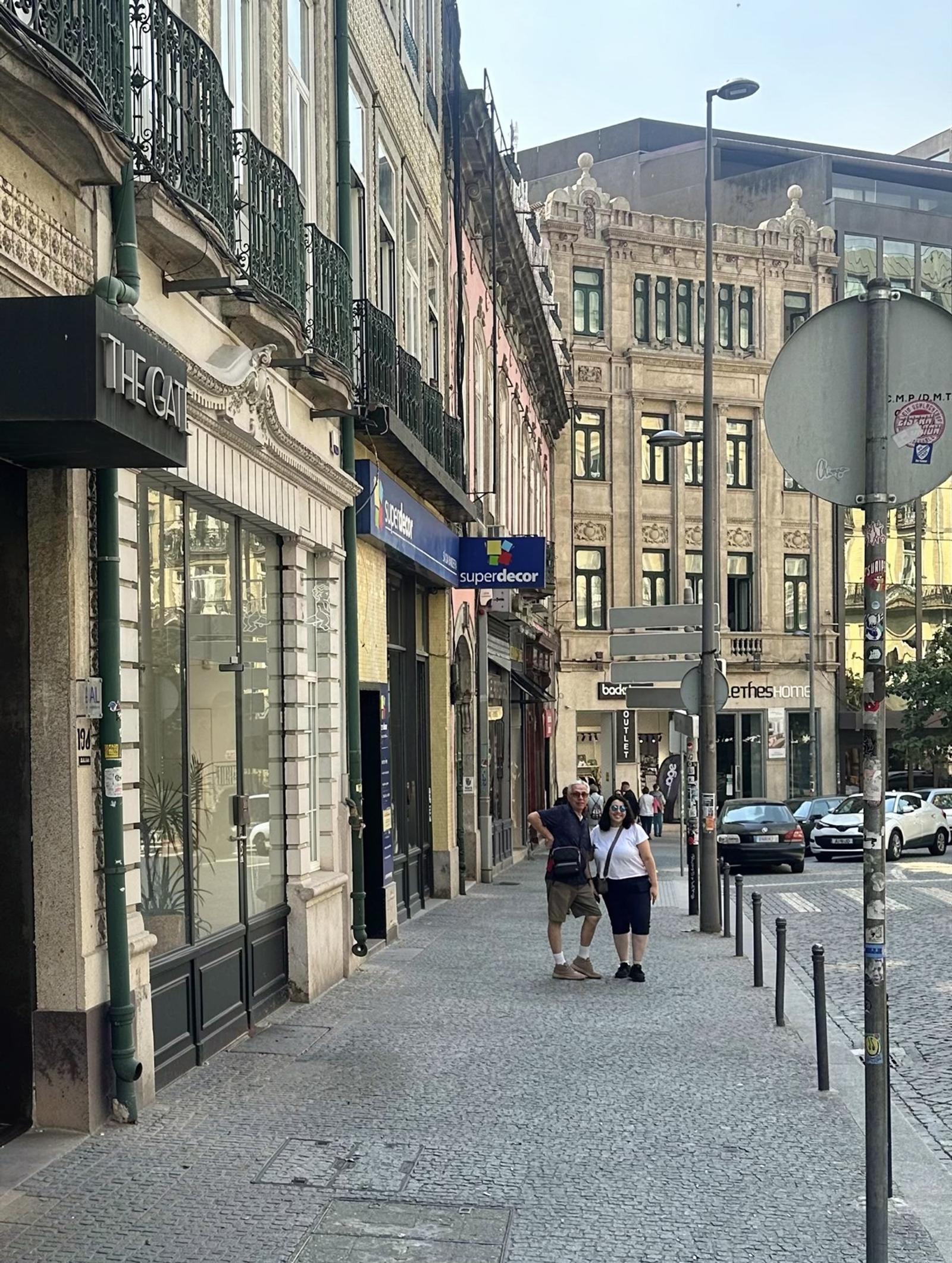
Mask it, and it's gone. FLUX Erase removes objects, people and text, including their shadows, and rebuilds the background to match the lighting and texture around it.
What is AI object removal?
Object removal takes something out of a photo and fills the gap so it looks like it was never there. FLUX Erase removes whatever you mask and reconstructs the scene behind it, with no prompt required.
Removes the traces too
Shadows and the subtle parts a mask misses go with the object, so nothing gives the edit away.
Rebuilds what was behind
The background is reconstructed to match the lighting, texture and background around the removed area.
Works on anything you mask
Objects, people, text and anything else the mask defines.
Cleaner edges on soft subjects
Expand the mask by up to 25 pixels for hair, fur, smoke and other soft-edged subjects. The default is 10.
What can you use object removal for?
Clean up a photo in one call instead of a retouching pass.
Product photo cleanup
Take stray props, cables and people out of product shots before they ship.
Simpler scenes
Clear clutter from a room, a table or a street so the subject stands on its own.
Text baked into the scene
Remove signs, captions and other text that is part of the image itself.
Privacy-aware editing
Remove bystanders and identifying details before an image is published.
Is there an object removal API?
Yes. FLUX Erase is an endpoint on the Black Forest Labs API: send the image and a black-and-white mask as base64, then poll for the result. It is built on FLUX.2 [klein] 9B. You can also try it in the free demo without code.
- Endpoint
- /v1/flux-tools/erase-v1
- Input
- One image and one mask, as base64
- Mask
- Black-and-white PNG at the image's resolution. White removes, black keeps.
- Mask expansion
- 0 to 25 pixels, defaults to 10
- Prompt
- Not needed
- Best input
- Around 1 megapixel, aspect ratios from 1:2 to 2:1
- Output
- PNG (default) or JPEG
- Billing
- Per megapixel
Frequently asked questions.
Do I need a prompt to remove an object from an image?
No. You send the image and a mask of what to remove, and FLUX Erase applies its own erase instruction.
What mask do I need to send?
A black-and-white PNG at exactly the same resolution as the image. White marks the pixels to remove and black the pixels to keep.
Does it remove shadows and reflections as well?
Shadows, yes: FLUX Erase removes traces like shadows and subtle parts the mask missed. For reflections, include them in the mask, and cover anything else you want gone.
Can it remove people and text?
Yes. It removes objects, people, text and anything else the mask defines.
How do I get rid of a halo around the removed area?
Increase the mask expansion. The default is 10 pixels and the maximum 25; 15 to 20 works well for hair, fur or smoke.
What image size works best?
Around 1 megapixel, with an aspect ratio between 1:2 and 2:1, which matches what the model was trained on.
How much does FLUX Erase cost?
FLUX Erase is billed per megapixel. Current rates are on the pricing page.
See pricingIntegrate FLUX Erase into your workflow
Talk to our team about custom fine-tunes, dedicated infrastructure, and integration support for your product.